Why I built it
While building mapofxp, code review was the part I kept putting off. Xpositor is the tool I made to get past that: review from my phone, wherever I am, with a guide that explains the code the way a friend would.
mubash.dev / Xpositor
Vibe with confidence. Review line by line.
Why I built it
While building mapofxp, code review was the part I kept putting off. Xpositor is the tool I made to get past that: review from my phone, wherever I am, with a guide that explains the code the way a friend would.
Understand
Point the guide at a change and it explains what the code does and why, in plain language, grounded in your repository.
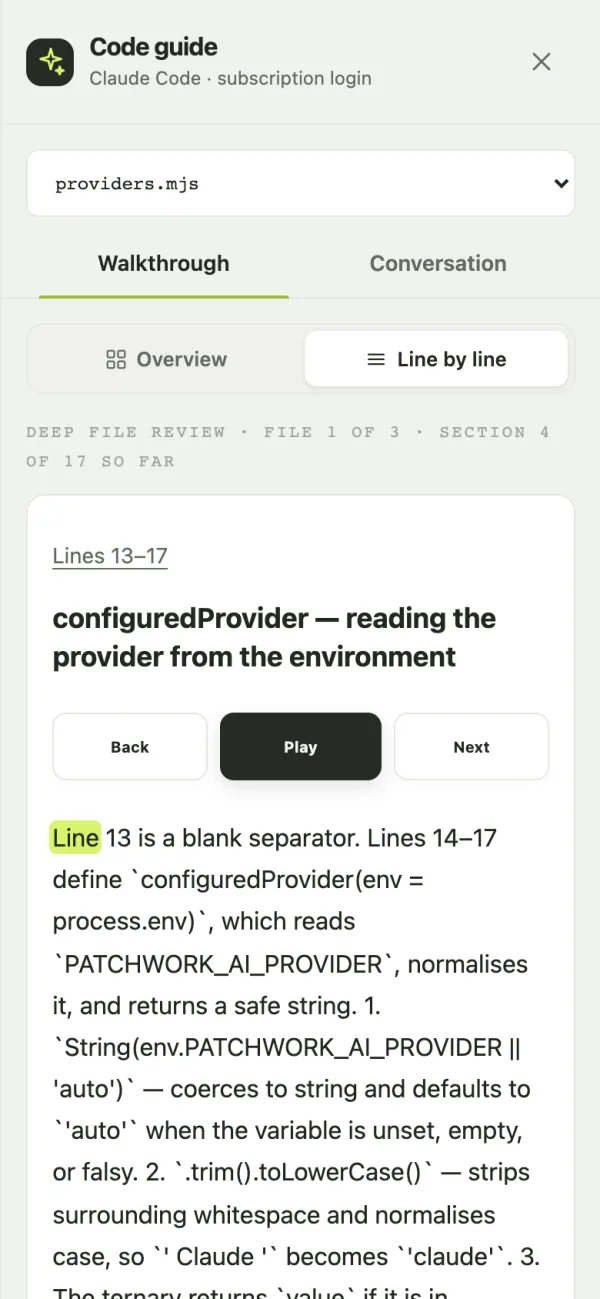
The guide reads every changed file, groups related changes, explains the intent and suggests an order to review them. Ask questions as you go; side questions branch off without losing your place.
Deep review takes one file at a time, in short sections, and explains each block next to the lines it describes. Ask it to explain more simply, or for another example.
Turn a chapter into a short spoken lesson: context, an example, the code it touches, an edge case and a question to check you understood. The code highlights as it's read aloud, and the voice runs locally on your laptop.
Review
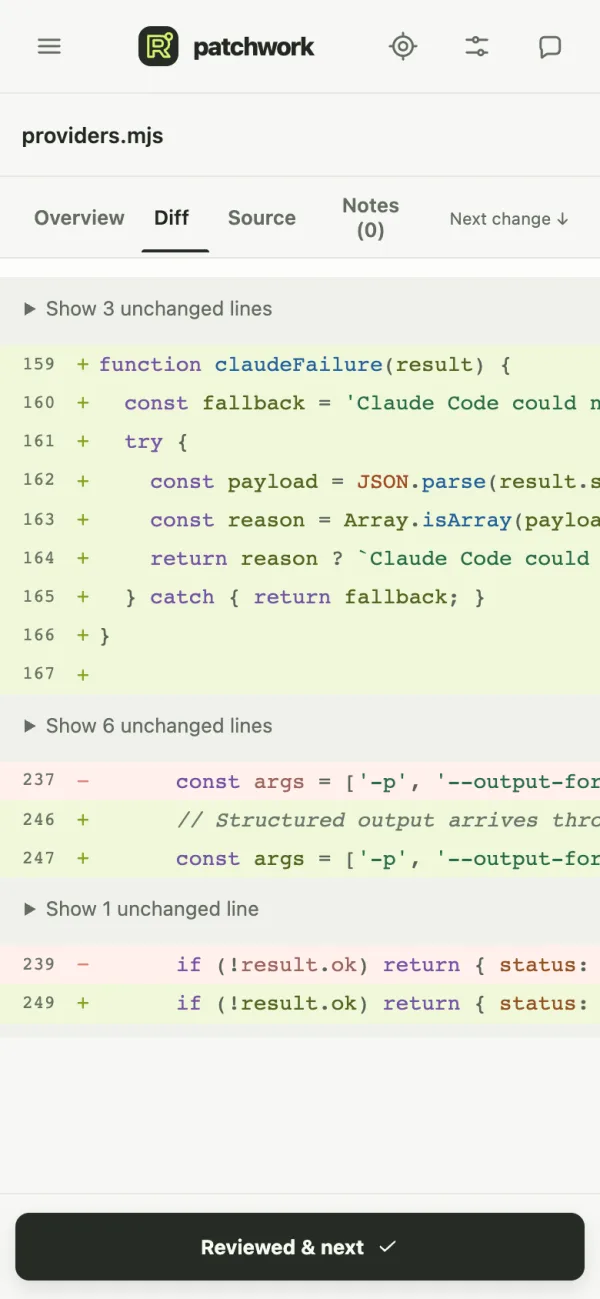
A reader built for a phone screen, and a queue that remembers where you were.
Diffs, full source and Markdown, with adjustable code size, line wrapping, folded context and a jump to the next change. Review staged, unstaged or all changes.
Each capture saves the changes and their source to your phone, so you can keep reading and leaving notes on a train or a flight. Reconnect to your laptop for new changes and AI answers.
Mark a file reviewed and move to the next. Decisions stick to that exact revision, so code that changes comes back for another look. On a laptop, arrow keys move between files and Return marks one done.
Leave a question on a line or range and resolve it later. Export your notes as a Markdown summary for your next session at the desk.
A 25-minute focus timer with 5-minute breaks, and a short breathing exercise for when you need a pause.
Read the changeExplained line by line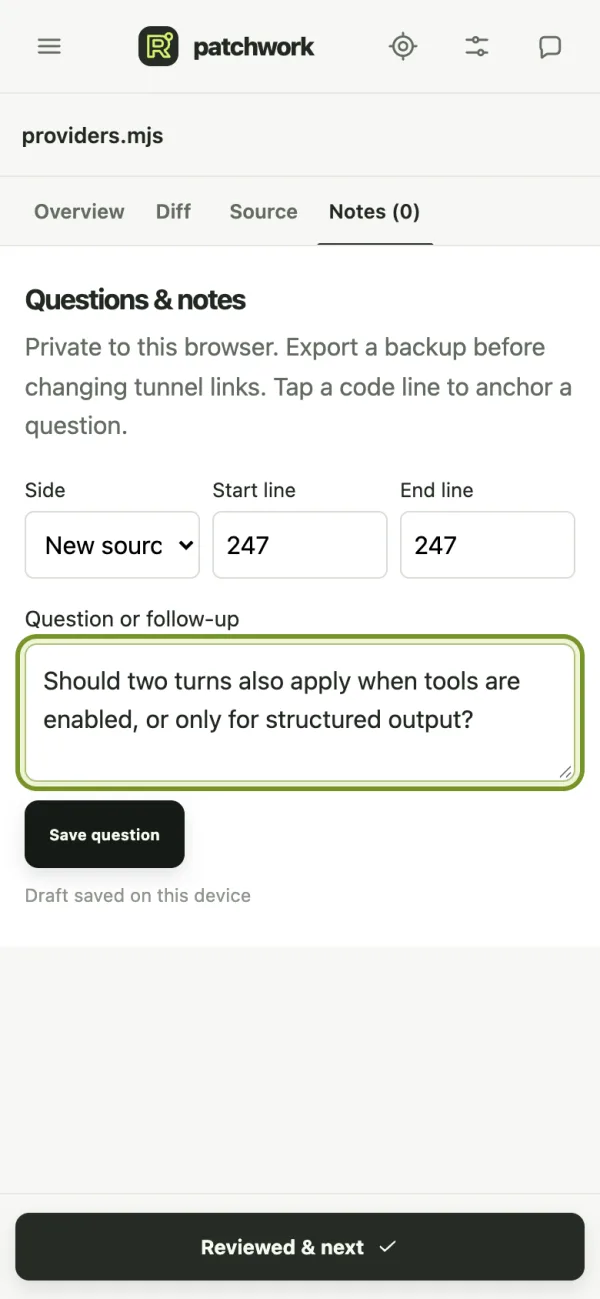 Ask on any line
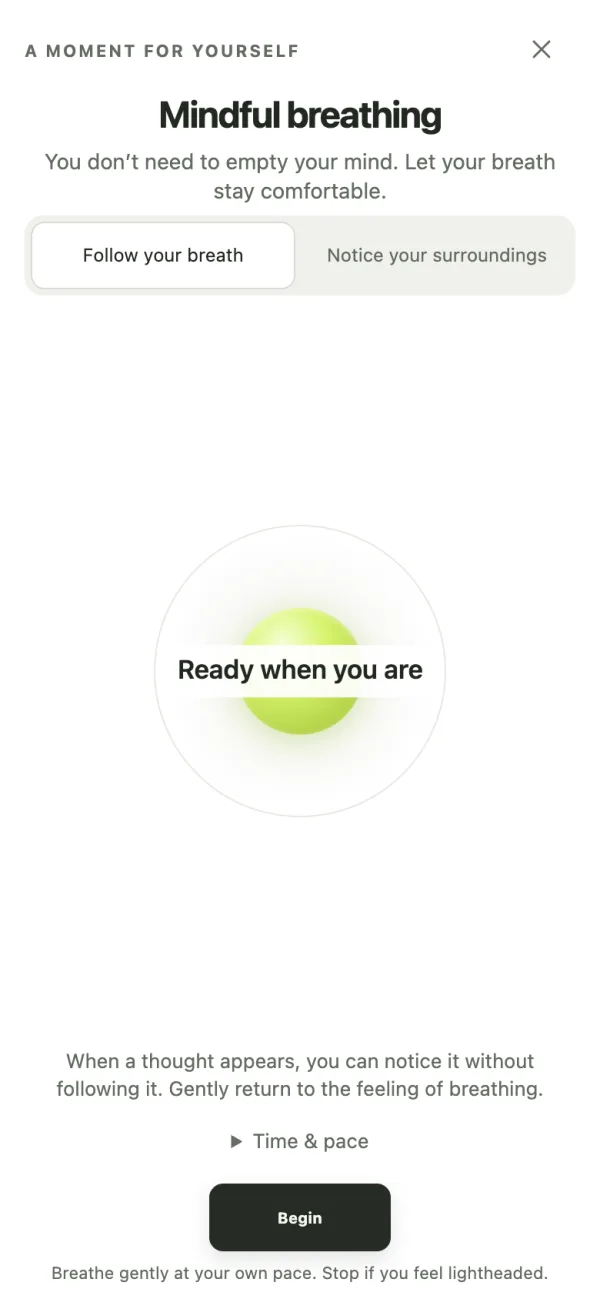 Take a breath
Actual development build reviewing a real commit
Privacy first
Xpositor reads code and nothing more. What leaves your laptop, and where it goes, is always your choice.
A local companion serves a captured snapshot to your phone. Notes and review decisions stay in your phone's browser; guide history stays on the laptop.
Explanations use the Codex or Claude Code account already signed in on your laptop, and credentials never reach the phone. Only the questions you ask and the code the guide retrieves go to that provider. Paid API mode is never switched on automatically.
It never edits files, stages changes, creates commits or approves pull requests. Marking a file reviewed is your own progress, not a repository action.
The source is on GitHub under Apache 2.0, so you can check all of this for yourself.
Local Wi-Fi mode uses HTTP and is meant for trusted networks. The optional HTTPS tunnel relays through Cloudflare as a trusted intermediary. Keep your pairing link private.
From your editor to your phone
The extension starts a local companion on your laptop. Your repository stays there.
Scan the QR code on the same trusted Wi-Fi network. An optional HTTPS tunnel lets you connect from another network.
Read a captured snapshot, ask questions, and leave notes. Keep the laptop running for new captures and AI responses.
Before you try it
The extension is free. Optional AI features use your connected provider account and its limits. Explicit API mode is billed by your provider; it is never enabled automatically. Basic diff review does not need AI.
From the VS Code Marketplace. It is a preview, so expect rough edges, and tell me what you find at xpositor@mubash.dev.
Yes. Xpositor is released under the Apache 2.0 license, and the source is on GitHub.
Codex or Claude Code, through the account you have already signed in with on your laptop, and you choose the model. Basic diff review works without any AI.
No. Narration uses Kokoro, a speech model that runs locally on your laptop after a one-time download. Text and code are never sent to a cloud speech service. Narration is English-only for now.
Saved snapshots and notes can be read after disconnecting. Installing the phone app and relaunching it offline requires HTTPS. New captures and AI responses need the laptop; back up your browser data before changing pairing origins.
Install the extension, click the Xpositor icon in the Activity Bar, then scan the QR code with your phone.
A free, open-source (Apache 2.0) preview. For feedback or questions, write to xpositor@mubash.dev.